

For players in the United Kingdom, a smooth mobile login is an important part of choosing an online casino. A page that loads reliably, works on a small screen and makes account controls easy to find can save time before a session begins; This guide looks at Prima Casino mobile access, including how to reach the site, sign in safely and deal with common login problems. Features, payment options and promotional terms can change, so check the current information displayed on the casino’s official website before registering or depositing.
Accessing Prima Casino on a mobile device
Prima Casino can be accessed through a mobile browser, so users may not need to install a separate application. Open the casino’s official website using a current browser on your phone or tablet. If the page offers a mobile layout, it should adapt to the screen and present the main navigation, account area and games in a format suited to touch controls.
For faster access later, you can save the official page as a browser bookmark or add it to your device’s home screen using your browser’s share or menu options. This creates a shortcut; it does not verify that a page is genuine. Always check the web address carefully, particularly if you arrived through an advert, message or search result. Avoid entering account details on a page with an unfamiliar or misspelled domain.
How to log in
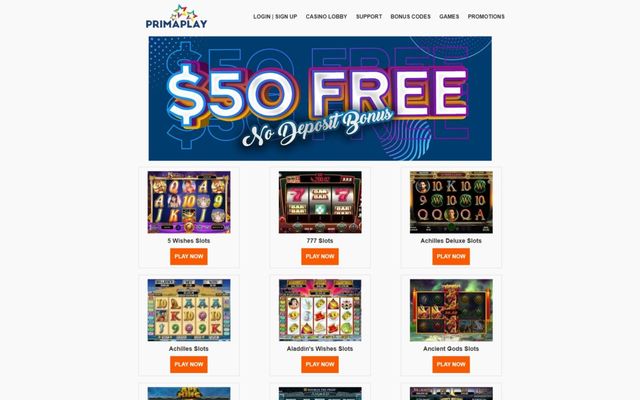
- Open the official site. Use a saved bookmark only if you are confident it points to the casino’s genuine website.
- Select the account option. Look for “Log in” or a similar button, often shown near the top of the page or inside the menu.
- Enter your registered details. Use the email address or username and password associated with your account.
- Complete any security check. The site may request a verification step, such as a one-time code, before granting access.
- Confirm that you are signed in. Check for your account name or balance area, and sign out when using a shared device.
PrimaCasino UK Top:
If the casino offers a “remember me” option, use it only on a personal device protected by a passcode or other screen lock. Do not save your password on a public or shared phone. A password manager can help create and store a unique password without relying on notes or repeated credentials.
What to check before playing
Login access is only one part of deciding whether to use an online casino. UK players should check the site’s terms, responsible-gambling tools, payment information and account verification requirements before making a deposit. Confirm that the service is available to you and review the operator and licensing details shown on the official website. Do not rely on promotional banners alone: the full terms explain eligibility, restrictions and any conditions attached to offers.
Mobile compatibility can vary with the device, operating system, browser and network connection. If a page looks incomplete, update your browser, close unnecessary tabs or try a different trusted browser. Avoid downloading software from unofficial sources to “fix” access. If the casino provides an app, follow only the installation instructions published on its official site and check that the app is suitable for your device and location.
Common login problems and practical fixes
Incorrect password or username
Check that the email address is the one used to register and that your keyboard has not inserted an extra space. Passwords are usually case-sensitive, so review capital letters and symbols. If you still cannot sign in, use the official password-reset process rather than trying repeated guesses. Follow reset links promptly and never share a reset code with someone claiming to be support.
Verification does not arrive
For an email message, check junk and spam folders and confirm that your inbox is not full. For a text message, make sure your phone has a signal and that the registered number is current. Some messages can be delayed. If the verification method is still unavailable, contact support through a channel listed on the official site. Do not send identity documents through social-media accounts or unofficial chat links.
The page will not load or keeps refreshing
Test your connection by opening another trusted website. If other pages also fail, switch between Wi-Fi and mobile data where appropriate. You can also reload the casino page, clear the browser’s cached data or restart the browser. A virtual private network, privacy extension or content blocker may interfere with some site functions; review your settings carefully rather than disabling security protections indiscriminately.
Account access is restricted
A restriction may be connected to verification, security checks, a forgotten account detail or a request to limit gambling. Read any message displayed on screen and contact the casino through its official support service. If you set a cooling-off period, self-exclusion or another limit, do not try to bypass it by opening another account. Such tools are there to support safer gambling.
Mobile experience: what matters in practice
A useful mobile casino layout should make it straightforward to find the account menu, cashier, game categories, help pages and responsible-gambling controls. Buttons need to be easy to tap, text should remain readable without excessive zooming, and important terms should be accessible before a player commits funds. These are practical checks rather than a guarantee that every device will display the same interface.
Game performance depends on more than the casino website. A stable internet connection, an up-to-date operating system and enough available device memory can all help. If a game freezes, avoid refreshing repeatedly while a transaction or round may still be processing. Check the account history and contact support if the result or balance is unclear. Keep screenshots or reference numbers for a support request, but do not include passwords or full payment credentials.
Advantages of using the mobile site
- Convenience: A browser-based page can be opened without installing an app, where mobile access is supported.
- Flexible access: Players can sign in from a compatible phone or tablet, subject to the casino’s current availability and terms.
- Quick shortcuts: A bookmark or home-screen link can make the official page easier to find next time.
- Account tools on the go: A responsive layout may provide access to account settings, support and safer-gambling controls from a smaller screen.
These are potential conveniences, not promises about speed or uninterrupted service. A mobile connection can be less reliable than a fixed one, and some functions may differ between devices. Before playing, make sure you have enough time to review the rules and terms rather than rushing through account screens.
Questions and answers
Is there a separate Prima Casino mobile login link?
The safest route is to visit Prima Casino’s official website and use its account login button. If you save a shortcut, first confirm that it opens the correct official address. A link copied from an unknown message should not be treated as trustworthy.
Can I sign in without installing an app?
If mobile browser access is currently supported, you may be able to use the casino through a compatible browser without installing an application. Availability and features can change, so check the official site for current device guidance.
What should I do if I forget my password?
Choose the password-reset option on the official login page and follow the instructions sent to your registered contact method. Create a unique replacement password. If you no longer control that email address or phone number, contact official support to ask about account recovery.
Is it safe to stay logged in?
It is generally safer to sign out after a session on a shared device. On a personal phone, use a strong screen lock and consider whether saving a login is appropriate for your circumstances. Never share a one-time code or password, even with someone who claims to be a casino representative.
Safer access for UK players
Set a budget before playing and use available deposit, time or session controls where appropriate. Gambling should be treated as paid entertainment, not as a way to make money or recover losses. If gambling is causing stress or affecting your finances, take a break and seek support from a recognised UK gambling-support organisation. You can also use blocking tools or self-exclusion options if you need to restrict access.
In short, mobile access is most straightforward when you start from Prima Casino’s verified website, use your registered details and keep your device and account protected. If login or verification fails, use the site’s official recovery and support routes instead of relying on third-party links. Before depositing, review the current terms, eligibility requirements and safer-gambling options so that convenience does not replace informed decision-making.